Purchasing an IPTV subscription USA viewers will stick to is more complicated than many think. People usually get the service, experience continuous buffering, blame the service provider, while the problem was actually either a low-quality router or a dated TV set. Here’s how to make sure this won’t happen.
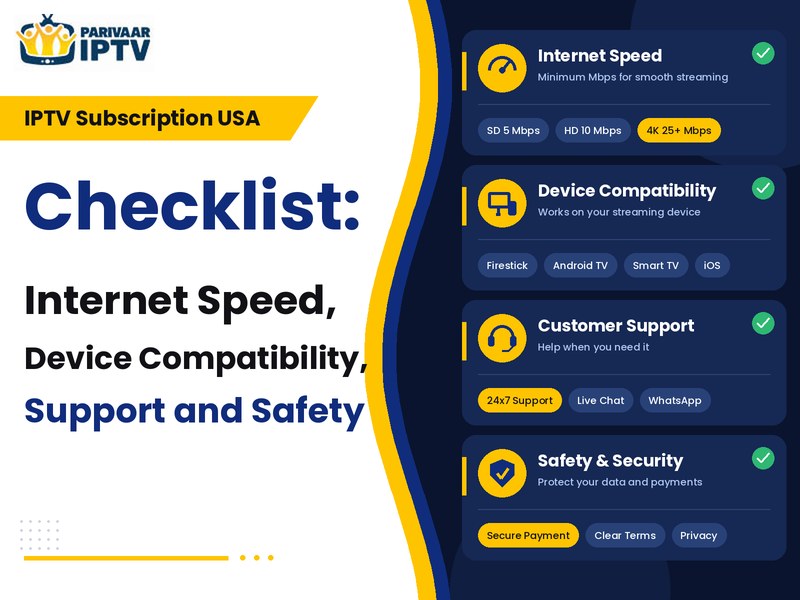
This blog explains internet speeds, compatibility of your device, support and security separately. Make sure to read it before purchasing the service and refer back to it if you need to choose among a couple of providers.
How to Choose IPTV Subscription USA: The Basic Approach
Start with your needs and not what the IPTV Service provider is offering. List out the TV channels you use, number of TV sets in your house and your available devices. Evaluate all the service providers against the same four criteria. A cheaper plan that does not pass in speed and customer support will actually cost more in the long run. Use your notes while comparing, because they will help you compare easily and save you from buying useless features.
Internet Speed: The First Item on Your Checklist
The quick plan may not guarantee a seamless stream. In most American households, the phone, laptop and TV all use the same internet connection; therefore, the IPTV stream will be competing for bandwidth. Conduct a free internet speed test during the evenings when you watch the TV. The internet speed is the actual bandwidth available.
Recommended Speeds by Stream Quality
| Stream Quality | Minimum Speed | Comfortable Speed |
| SD | 3 Mbps | 5 Mbps |
| HD (720p/1080p) | 8 Mbps | 15 Mbps |
| 4K | 25 Mbps | 40 Mbps |
Add 5 to 10 Mbps for each additional screen in use simultaneously.
Wired Versus Wireless Connections
Wi-Fi is simple, but walls, distance and the other networks around you cause interference. Connect your streaming device to the router using an Ethernet cable when possible. When that is not possible, either move your router, change to the 5GHz channel or set up a mesh extender. These small changes fix almost all issues regarding buffering and are virtually free. Always reboot the router on a weekly basis as well.
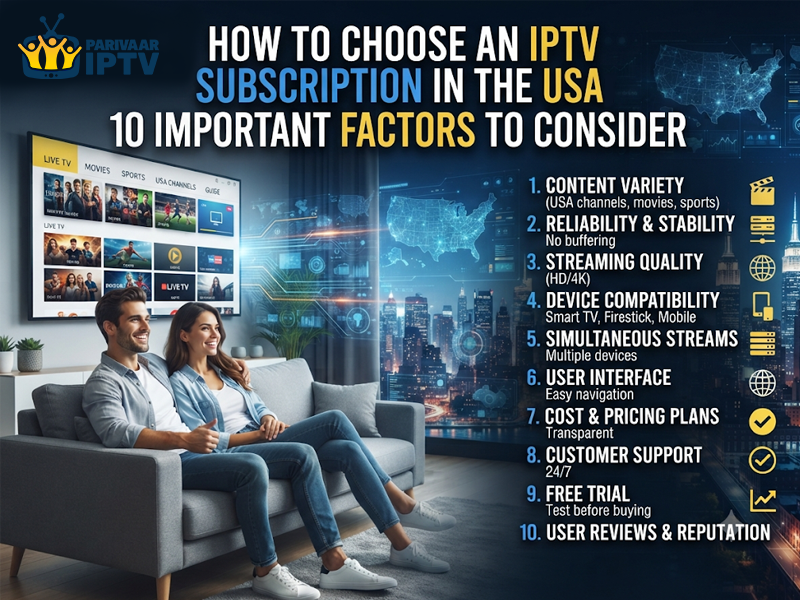
Also Read – How to Choose an IPTV Subscription in the USA: 10 Important Factors to Consider
Device Compatibility: Confirm Before You Subscribe
The provider must install the application on your devices that you use now. Ask about the app-supported list and verify each app before you purchase anything. Here are the things to verify:
- Smart TV: Samsung, LG and Android TV should play the app of the provider or a generic one.
- Streaming Devices: Fire TV Stick, Android Streaming Boxes and Apple TV are usually selected for streaming boxes.
- Mobile: iOS and Android mobile applications will help you watch movies on your gadgets.
- Computer: You can use a browser or desktop player as a backup device.
- Playlist Support: M3U and Xtream codes will make changing the player easy for you in the future.
Also, check the number of screens allowed by the subscription plan as there might be a situation when a family of four will require three or even more screens at once.
Customer Support: What Good Help Looks Like
Streams are down once in a while. What matters is the speed of the service provider’s response. Before you sign up, send a test query via the contact medium provided by the service provider and check the time taken to receive an answer. It must be a person and not an automated reply which takes hours and not days.
Reliable service providers provide clear contact methods such as live chat, emails, WhatsApp, as well as a help center with clear setup instructions. Their response speed during weekends and evenings is vital.
Signs of Weak Support
- Response time exceeds 48 hours.
- Responses appear to be copied and do not address your question.
- They don’t provide refund or cancellation information.
- The only way to contact them is via social media.
Safety and Legality: Protect Your Money and Data
Safety is just as important as image quality. The IPTV business consists of both professional providers and irresponsible ones, but on the Internet it is often impossible to distinguish between them. Gaining information regarding IPTV subscription legal safety will help you avoid problems such as blocked services, payments and data security issues.
IPTV itself is not illegal in the US. The problem appears if the company broadcasts its channels without the necessary license. Ask the provider where the source of content is prior to any payments.
Practical Safety Checks
- Payment: Make payments using any card or PayPal account that allows for dispute resolution.
- Privacy: Provide personal information necessary to complete your order only.
- Reputation: Look for independent user reviews, not those listed by the service provider.
- Transparency: Look for the business name and physical address and terms and conditions of use.
- App source: Install apps only through official application stores or from verified provider web pages.
Features, Pricing and Trial Options
After the first four criteria are met, compare the packages for what they offer. A good set of IPTV subscription services consists of stability in channel lists, program guide, catch-up option, multiple connections and regular updates. If regional programs such as Indian IPTV channels are desired, ensure that these are listed in writing and not just promised in chats.
Understanding Pricing
In case of IPTV pricing plans USA available online, check the price per screen and per month. The monthly package gives you freedom to change later. But longer periods reduce your monthly price while increasing your trust level.
Stay away from very cheap prices that can be below the average price level in the market, because they can mean poor quality servers and even a short period before the end of the business. No matter whether it is Guru IPTV or something else, make sure you get in writing all prices, including renewal prices and screen restrictions.
Use a Trial Before Committing
An IPTV free trial allows you to experience live channels and buffering on your own network. It must be run during the evenings when everybody is on the Internet, you have to test all your devices which will be used for IPTV and contact technical support once. It’s a red flag if your potential provider doesn’t allow you to try their product.
Final Checklist Summary
Before you commit to an IPTV subscription USA users rely on, take into account the following things:
- Bandwidth: Check during busy times; 25 Mbps or above required for 4K.
- Devices: Every device at home works with the supported application.
- Support: You get an adequate answer to your test question within hours.
- Security: Licensing, secure payments and terms are explained.
- Trial period: A trial period precedes any subscriptions.
The right checklist will help you save money and time. Choose the package that suits your bandwidth, devices and your family members. Avoid providers who cannot give factual answers to the most basic questions.